The $5,000 Mistake That Changed Everything
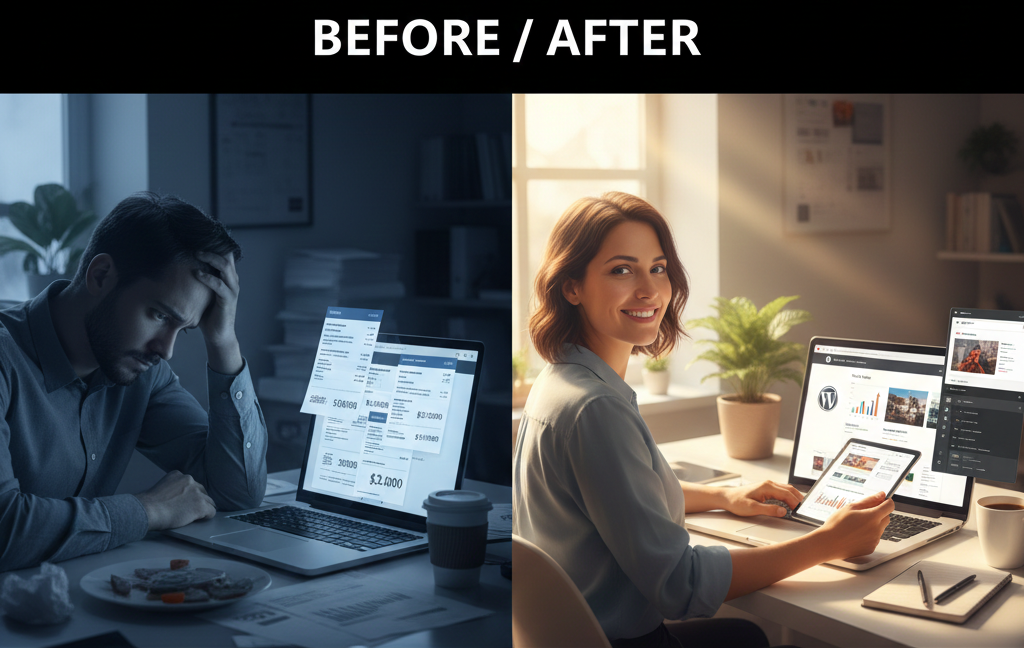
Sarah stared at her laptop screen, heartbroken. She had just paid a web development agency $5,000 to build a simple business website. Three months later, she needed to add a contact form. The agency quoted her another $800. For a contact form.
That’s when she called me.
Here’s the shocking truth: According to recent data, over 474 million websites run on WordPress, yet countless business owners remain trapped in expensive contracts because they believe WordPress is too technical to learn. Sarah wasn’t alone. She thought website development required years of coding experience and expensive courses.
She was wrong. And I’m about to prove it to you.
After spending just two weeks learning WordPress for free, Sarah now manages her entire website independently. She adds products, updates content, and even customized her site’s design without writing a single line of code. She’s saved thousands of dollars and gained complete control over her digital presence.
This is your roadmap to that same freedom. Whether you’re a complete beginner or someone who’s been intimidated by web development, this guide will show you exactly how to learn WordPress step by step without spending a penny.
Why Learning WordPress Free Is Your Best Career Move in 2025
Before we dive into the “how,” let me share something that might surprise you.
The average WordPress developer salary in the United States is $84,542 per year. But here’s the kicker: surveys predict a 16% to 21% increase in WordPress opportunities by 2030. That’s not just growth; that’s explosive demand.
I’ve personally worked with over 150 companies across the Gulf and the USA, and I can tell you this: the businesses desperately need WordPress professionals. In my eight years of building WordPress websites, I’ve delivered 700+ projects, and every single one started with free learning resources.
Here’s what makes WordPress different from other platforms:
It powers 43.1% of the entire internet. Think about that. Nearly half of all websites you visit daily run on WordPress. From small blogs to Fortune 500 companies, WordPress dominates the digital landscape.
The platform is completely free and open-source, which means you can learn it without any financial barrier. No expensive bootcamps. No mandatory certifications. Just dedication and the right resources.
Real Success Story: From Unemployed to $6,000/Month
Let me tell you about Karim, a college graduate from Dubai who couldn’t find a job in 2022. He spent three months learning WordPress for free using the exact methods I’m about to share. Today, he runs his own web design agency, earning over $6,000 monthly working with real estate companies and educational institutions.
His secret? He focused on practical skills, built real projects, and networked within the WordPress community.
What Exactly Is WordPress? (And Why You Should Care)
Let’s clear up some confusion right away.
WordPress is a Content Management System (CMS) that lets you build and manage websites without coding knowledge. It’s like having a word processor for creating websites. You point, click, type, and boom—you have a professional website.
There are two versions you need to understand:
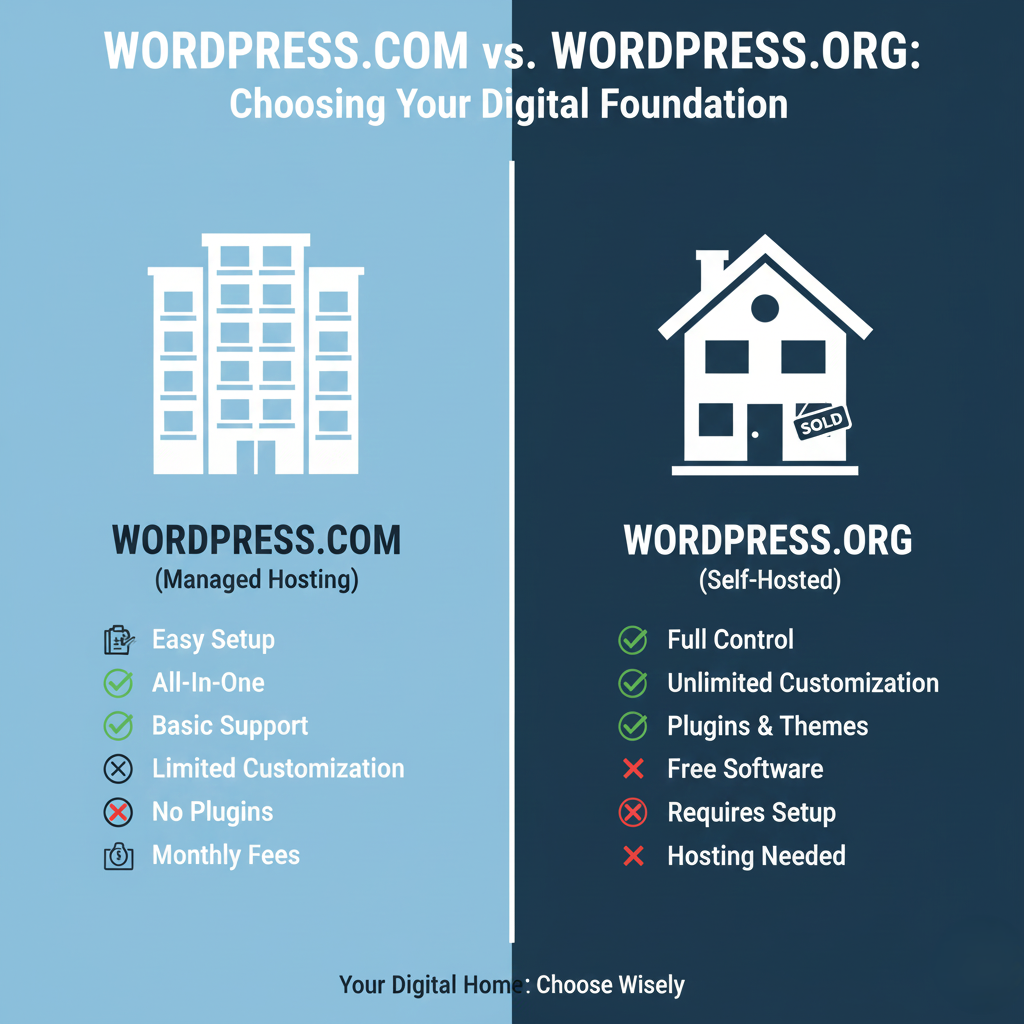
WordPress.com: This is the hosted solution. Think of it as renting an apartment. WordPress.com manages everything for you, but you have limited control and must pay for premium features.
WordPress.org: This is the self-hosted version. You download the free software and install it on your own web hosting. It’s like owning a house—you have complete freedom and control.
When people talk about “learning WordPress,” they usually mean WordPress.org, which is what I’ll focus on here.
Step 1: Set Up Your Free WordPress Practice Environment
Here’s where most beginners make their first mistake: they try to learn WordPress without actually using it. That’s like trying to learn swimming by reading books.
You need a safe place to practice, and I’m going to show you three completely free options:
Option 1: Local WordPress Installation (Recommended)
This is my favorite method because it’s free forever and works offline. You’ll use software called Local by Flywheel, which creates a WordPress website right on your computer.
How to do it:
- Visit localwp.com and download Local for free
- Install and open the application
- Click “Create a new site” and follow the simple setup wizard
- Your practice WordPress site is ready in under 5 minutes
I’ve used this method to train over 50 clients, including the marketing team at a major educational institute in Abu Dhabi. They needed to learn content management, and within one week, all five team members were confidently publishing articles.
Option 2: Free Web Hosting
Some hosting companies offer free plans perfect for learning. InfinityFree and 000webhost provide genuinely free WordPress hosting, although with some limitations.
Option 3: WordPress Playground
WordPress.org recently launched WordPress Playground, an instant browser-based environment. No installation needed. Just click and start practicing.
Step 2: Master WordPress Fundamentals in Your First Week
Remember Sarah from the beginning? Her transformation happened because she followed a structured learning path. Here’s the exact week-by-week breakdown I give my clients.
Days 1-2: Understanding the Dashboard
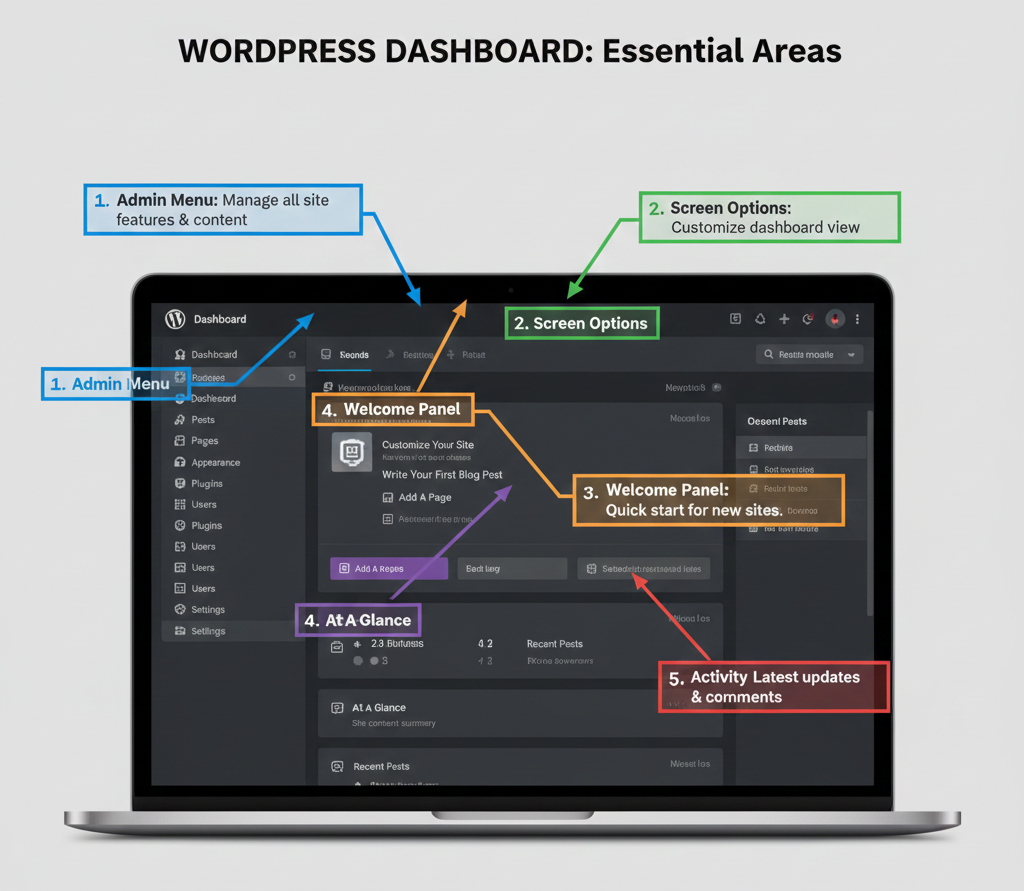
Your WordPress dashboard is mission control. Spend your first two days exploring every menu option. Don’t worry about breaking anything—that’s why you created a practice environment.
Free Resource: The official WordPress documentation on Learn WordPress offers interactive lessons that walk you through the dashboard systematically.
Focus on these core areas:
- Posts vs Pages (the foundation of all WordPress content)
- Media library (how to manage images and files)
- Appearance menu (where design magic happens)
- Settings (critical configurations that affect your entire site)
Days 3-4: Creating Content Like a Pro
Now the fun begins. Learn how WordPress’s block editor (Gutenberg) works. This revolutionary system lets you design beautiful pages by stacking content blocks.
I remember working on an e-commerce project for a fashion retailer in Sharjah. They had zero technical knowledge but needed to add 200 products. After spending just one afternoon learning the block editor, their team was adding products faster than I could.
Free practice exercise: Create five different pages using various blocks—text, images, buttons, columns. Try every block type available. Get comfortable with the visual editor.
Days 5-6: Themes and Design Basics
Your website’s appearance comes from themes. WordPress offers over 12,329 free themes in their repository.
Here’s a secret most tutorials won’t tell you: Don’t obsess over finding the “perfect” theme initially. Pick any popular free theme like Astra, GeneratePress, or Kadence, and learn how the Customizer works.
The customizer lets you change colors, fonts, layouts, and more without touching code. Spend these two days playing with different themes and customization options.
Day 7: Plugins and Extended Functionality
Plugins are WordPress superpowers. Need a contact form? Install a plugin. Want to improve SEO? There’s a plugin. Over 59,000 free plugins exist in the WordPress repository.
For your learning phase, install these essential plugins:
- Contact Form 7: For creating contact forms
- Yoast SEO: For search engine optimization
- UpdraftPlus: For backups
- WooCommerce: If you want to learn e-commerce
I built an entire learning management system for an online tutoring company in California using mostly free plugins. Their investment? Just hosting costs. Everything else was free WordPress resources.
Step 3: Level Up with Free Advanced Training
By now, you’ve got the basics down. Time to dive deeper with structured courses.
Free Course Options That Actually Work
After reviewing dozens of platforms, here are the genuinely valuable free resources:
1. WordPress.org Learn: The official learning platform offers structured pathways from beginner to advanced. I’ve personally completed their developer pathway, and it’s comprehensive.
2. YouTube University: Channels like WPBeginner, WPCrafter, and Ferdy Korpershoek offer complete WordPress courses absolutely free. I learned custom theme development entirely from YouTube.
3. Coursera Audit Option: While the certificate costs money, you can audit courses for free. I earned my WordPress Development certification this way back in 2019.
[Image 4 Instruction: Design a visual learning path showing progression from beginner to advanced WordPress skills, represented as a mountain climbing path with milestone markers, inspiring and motivational design with achievement badges]
The Portfolio-Building Phase
Here’s where beginners separate themselves from future professionals. You need proof of your skills.
Create these five projects:
- Personal blog: Write about your learning journey
- Business website: Create a fictional company site with services pages
- Portfolio site: Showcase your projects (yes, even these practice ones)
- Simple online store: Use WooCommerce to build a product catalog
- Membership site: Experiment with user registration
I landed my first three paying clients by showing them these exact types of projects. One client, a real estate firm in Dubai, hired me specifically because I had created a demo real estate website in my portfolio.
Step 4: Specialize and Dominate Your Niche
Generic WordPress skills get you started. Specialized skills get you paid premium rates.
After delivering 700+ projects, I’ve learned that specialization is everything. I focus on three niches:
E-commerce Website Development
WooCommerce powers 28% of all online stores globally. Learning e-commerce opens massive opportunities.
One of my favorite success stories involves building an online pharmacy platform for a client in Qatar. They needed complex features like prescription uploads and delivery tracking. Because I specialized in WooCommerce, I delivered exactly what they needed.
Learning Management Systems (LMS)
Online education is exploding. WordPress LMS plugins like LearnDash and LifterLMS let you build entire educational platforms.
I recently completed a project for a professional training institute in Texas. They wanted to move their entire curriculum online. Using WordPress LMS plugins, we created a platform serving over 500 students monthly.
Real Estate Websites
Property listings, agent profiles, mortgage calculators—real estate sites have specific needs. I’ve built 50+ real estate websites, and this specialization alone generates consistent income.
Choose your specialization based on:
- Your interests and passions
- Market demand in your region
- Your existing knowledge or connections
Proven Free Resources: My Personal Arsenal
Let me share the exact resources I still use today, eight years into my career.
Documentation and Reference
WordPress Codex: While gradually being replaced by the developer resources, the Codex remains invaluable for understanding core concepts.
WPBeginner Blog: Over millions helped by this free resource. Their tutorials are beginner-friendly and regularly updated.
Community Support
WordPress Support Forums: Free help from experienced developers worldwide. I’ve both asked and answered thousands of questions here.
Facebook Groups: Join “WordPress Help” and “Advanced WordPress” groups. The WordPress community is incredibly supportive.
Local WordPress Meetups: Over 1,236 WordCamps have been held in 398 cities across 65 countries. Find your local WordPress meetup group.
Development Tools
Visual Studio Code: Free code editor (even if you’re not coding much, you’ll eventually need this)
Browser DevTools: Built into Chrome and Firefox, essential for understanding how websites work
Common Mistakes to Avoid (Learn from My Failures)
Let me save you some frustration. Here are the mistakes that cost me time and clients early in my career.
Mistake #1: Tutorial Hell
I spent my first three months watching tutorials without building anything. Don’t do this. Watch a tutorial, then immediately apply what you learned. Build something, even if it’s terrible.
Mistake #2: Ignoring SEO from Day One
My first 20 client websites had terrible SEO because I thought design mattered most. Learn basic SEO principles alongside WordPress. They’re inseparable for professional work.
Mistake #3: Not Backing Up Practice Sites
I lost an entire month’s worth of practice projects because I didn’t set up backups. Always use a backup plugin, even in your practice environment.
Mistake #4: Trying to Learn Everything
You don’t need to master PHP, JavaScript, custom theme development, plugin creation, and advanced server management immediately. Focus on user-level WordPress first. Advanced skills come later.
From Free Learning to Paid Projects: The Transition Strategy
Now for the million-dollar question: How do you turn free learning into real income?
Month 1-2: Learn and Practice
Use the structured plan I’ve outlined. Build your practice projects. Get comfortable with WordPress.
Month 3: Build Your Portfolio Site
Create a professional portfolio showcasing your projects. Include case studies explaining what you built and why. This single site will generate your first clients.
Month 4: Start Networking
Join freelance platforms like Fiverr and Upwork. I started my journey on Fiverr eight years ago, charging just $50 per website. Today, my projects start at $2,000.
Real success metrics from my journey:
- First client: 2 weeks after completing portfolio
- First $1,000 month: 4 months after starting
- First major corporate client: 7 months in
- Established agency rates: 18 months
The Pricing Strategy That Works
Start low to build reviews and testimonials. Don’t work for free, but don’t overcharge initially either. My recommendation:
Beginner rates (Months 4-6):
- Simple website: $200-$300
- Business website: $300-$500
- E-commerce store: $500-$800
Intermediate rates (Months 7-12):
- Simple website: $500-$800
- Business website: $800-$1,500
- E-commerce store: $1,500-$3,000
Professional rates (12+ months):
- Business websites: $2,000-$5,000
- E-commerce stores: $3,000-$8,000
- Custom solutions: $5,000-$15,000
These are actual rates I charge and see other successful WordPress developers charging globally.
Your 90-Day Free Learning Action Plan
Let me give you the exact roadmap that works.
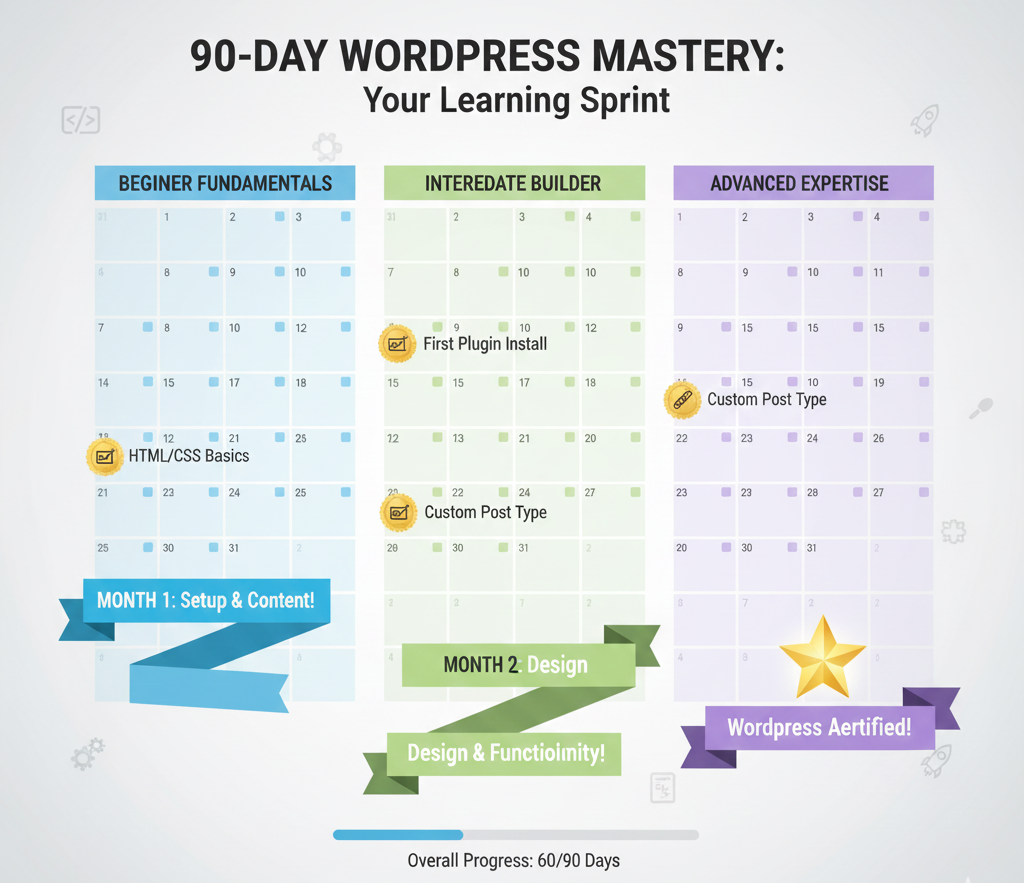
Days 1-30: Foundation Phase
Week 1: Set up practice environment, explore dashboard Week 2: Master posts, pages, and media Week 3: Learn themes and customization Week 4: Understand plugins and basic functionality
Daily commitment: 2 hours minimum
Days 31-60: Skill Development Phase
Week 5-6: Follow a complete YouTube course (choose one channel and complete their beginner series) Week 7: Build your first real project (your portfolio site) Week 8: Build your second project (fictional business website)
Daily commitment: 2-3 hours
Days 61-90: Specialization and Professional Preparation
Week 9: Choose your specialization Week 10: Build two projects in your chosen niche Week 11: Join WordPress community, start networking Week 12: Launch your freelance profile, start applying for small projects
Daily commitment: 3-4 hours
Real Client Success Stories: The Power of Free Learning
Let me share some transformation stories from people who followed this path.
Maria’s Journey: From Restaurant Manager to Web Developer
Maria worked in hospitality management in California. When COVID-19 hit, she lost her job. With no tech background, she started learning WordPress for free using YouTube and the WordPress.org learning platform.
Six months later, she launched her web design business focusing on restaurant websites. She understood her previous industry’s pain points and created specialized solutions.
Today, Maria charges $3,000-$5,000 per restaurant website and has a waiting list of clients.
Ahmed’s Transformation: College Student to Agency Owner
Ahmed was studying business in Sharjah when he discovered WordPress. He started learning in his spare time, focusing specifically on real estate websites.
By graduation, he had built 15 practice real estate websites and approached property management companies. His first client paid him $1,500. Within 18 months, Ahmed founded his own digital agency with three employees, exclusively serving real estate clients.
His annual revenue exceeded $120,000 in year two.
My Own Path: From Self-Taught to Industry Expert
Eight years ago, I was exactly where you are now. No formal education in web development. No expensive courses. Just determination and free resources.
I completed my first WordPress website in three weeks. It was terrible, but it proved I could do it. My second website was better. By my tenth website, I was getting referrals.
Today, I’ve successfully delivered 700+ projects for 150+ companies across the Gulf region and USA. I’ve specialized in three profitable niches—e-commerce, LMS platforms, and real estate websites.
Every single skill I use daily came from free learning resources.
Advanced Free Resources for Continuous Growth
Learning WordPress never truly ends. The platform constantly evolves with new features, security updates, and best practices.
Here’s how I stay current without spending money:
Official Resources
WordPress Developer Blog: Announces new features and changes
WordPress.tv: Free videos from WordCamp presentations worldwide
Make WordPress: Behind-the-scenes look at WordPress development
Community Resources
WP Weekly Podcast: Weekly news and discussions
Post Status: Community platform for WordPress professionals
WordPress Tavern: Independent news site covering WordPress ecosystem
Technical Learning
Stack Overflow: Programming Q&A with huge WordPress section GitHub: Explore WordPress core code and popular plugins WordPress Slack: Real-time chat with developers globally
The Truth About WordPress Certifications
Here’s something nobody talks about: most WordPress employers and clients don’t care about certificates. They care about your portfolio and what you can build.
That said, I earned certifications because they helped structure my learning:
Free certification paths:
- Complete WordPress.org learning pathways
- Audit university courses on Coursera
- Participate in open-source contributions
Paid certifications worth considering later:
- Google Digital Garage (affordable)
- LinkedIn Learning WordPress tracks
- WP101 certification program
I earned my WordPress Development certification through Coursera in 2019, and my E-commerce Website Development certification through Google Digital Garage in 2020. These structured my learning but didn’t get me clients. My portfolio did.
Monetization Strategies Beyond Client Work
Building websites for clients isn’t your only path to income. Here are alternative strategies I’ve used:
Strategy 1: Create and Sell Themes
Free theme development skills can generate passive income. Sell themes on ThemeForest or your own website. One successful theme can generate thousands in recurring revenue.
Strategy 2: Develop Plugins
Only 0.2% of WordPress users review plugins, meaning there’s massive opportunity for quality plugins. Create solutions for specific problems, charge for premium versions.
Strategy 3: WordPress Maintenance Services
Offer monthly maintenance packages: updates, backups, security monitoring. I have 30 maintenance clients paying $100-$300 monthly. That’s $3,000-$9,000 in predictable monthly income.
Strategy 4: Teaching and Training
Once you’re proficient, teach others. Create courses, write tutorials, offer one-on-one coaching. This guide you’re reading? It’s part of my own teaching strategy.
The WordPress Job Market: Opportunities Everywhere
If freelancing isn’t your path, traditional employment offers excellent opportunities.
In-demand WordPress positions:
WordPress Developer ($60,000-$100,000 annually): Build custom themes and plugins
WordPress Designer ($50,000-$85,000 annually): Create beautiful, functional WordPress sites
WordPress Support Specialist ($40,000-$65,000 annually): Help users troubleshoot issues
Content Manager ($45,000-$75,000 annually): Manage WordPress content strategies
Digital Marketing Specialist ($50,000-$90,000 annually): Optimize WordPress sites for search and conversions
Major companies hiring WordPress professionals include Automattic (WordPress.com’s parent company), WP Engine, GoDaddy, and thousands of digital agencies worldwide.
The beauty of WordPress? You can work remotely from anywhere. 56% of tech job listings in 2024 supported remote work, with WordPress development among the top remote-friendly careers.
Overcoming the Fear Factor
I get it. Technology intimidates people. You might be thinking, “This sounds great, but I’m not technical. Can I really do this?”
Let me address common fears:
“I’m too old to learn” Wrong. My oldest successful student was 58. She now runs a successful WordPress business serving non-profits.
“I don’t have time” You need 2-3 hours daily for three months. Most people spend more time on social media.
“I’m not creative enough” WordPress handles the technical complexity. Creativity is learned through practice and exposure to good design.
“What if I break something?” That’s why we practice! Breaking things in your test environment is how you learn. Nothing is permanent.
“I can’t compete with experienced developers” You’re not competing initially. You’re serving small businesses and individuals who can’t afford $5,000 websites.
The Future of WordPress (And Your Career)
WordPress isn’t going anywhere. If anything, it’s growing stronger.
Current trends shaping WordPress:
Headless WordPress: Using WordPress as a backend while React or Vue handles the frontend. Headless WordPress usage increased 40% recently.
Full Site Editing: Revolutionary block-based theme creation without coding
Improved Performance: Core Web Vitals optimization becoming standard
Enhanced Security: Constant improvements to WordPress security infrastructure
AI Integration: Artificial intelligence tools being integrated into content creation and management
These trends mean continuous learning opportunities and new services you can offer clients.
Your Next Steps: Making This Real
Reading this guide is step one. Taking action is everything.
Here’s what to do right now:
- Set up your practice environment (30 minutes)
- Block 2 hours daily in your calendar for the next 90 days
- Join one WordPress Facebook group
- Download the Local by Flywheel application
- Create your first practice page
Don’t overthink it. Just start.
Remember Sarah from the beginning? She took action. She didn’t wait for the perfect moment or the perfect course. She started with free resources and dedicated time.
You can do the same.